kimvv Python package integration
The final step in creating your Test Driver is to make sure it will be able to cleanly integrate into the
kimvv Python package for the materials science community to run on their
own outside of the OpenKIM pipeline. kimvv is built using setuptools and
published on PyPI at https://pypi.org/project/kimvv/. This page will walk you through the process to test
that your Test Driver will operate correctly independent of your local directory structure or environment
configuration.
The testing workflow will run your Test Driver on FCC gold (prototype label A_cF4_225_a) using 3 models:
a KIM Portable Model:
LJ_ElliottAkerson_2015_Universal__MO_959249795837_003a KIM Simulator Model:
Sim_LAMMPS_ADP_StarikovGordeevLysogorskiy_2020_SiAuAl__SM_113843830602_000a non-KIM ASE Calculator:
ase.calculators.lj.LennardJones(sigma=2.42324, epsilon=2.30580, rc=9.69298)
Make sure your Test Driver is able to run these simulations in the first place before beginning this process (except for the non-KIM calculator if your Test Driver uses LAMMPS).
Forking the kimvv repo
First, make a fork of the |
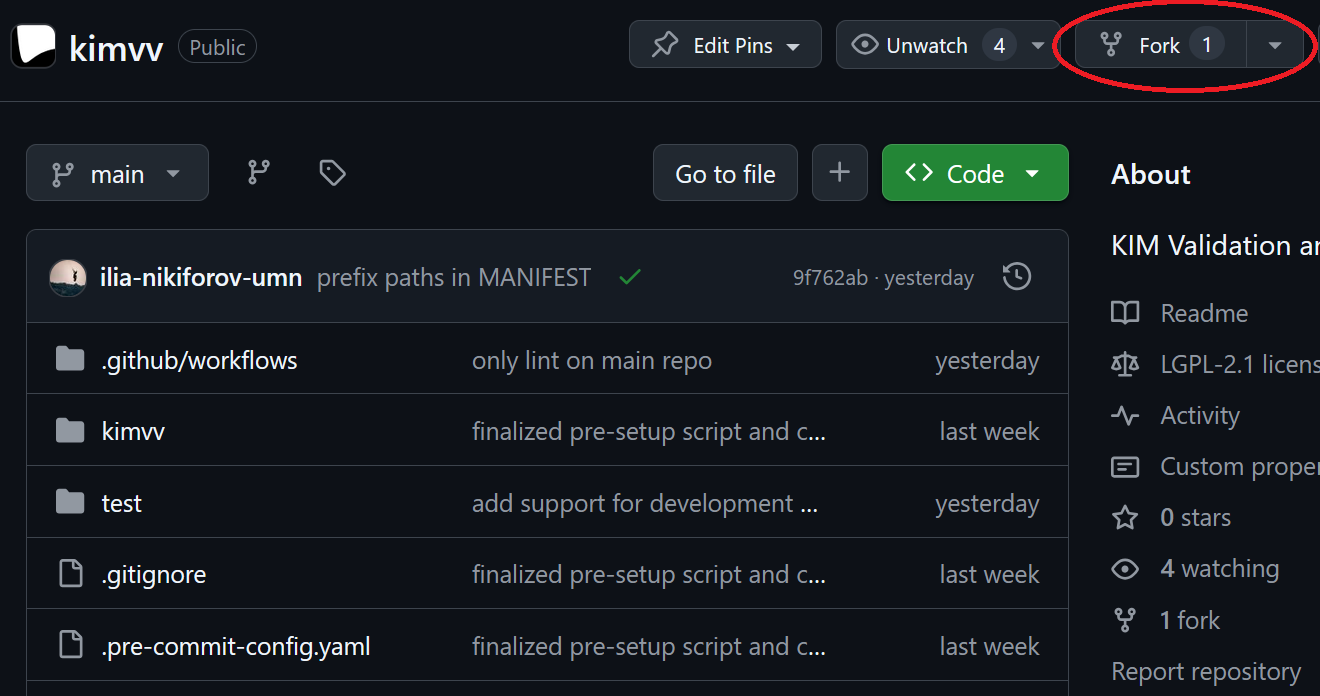
|
Once the fork is in your account, before making any changes, allow Github actions to run by clicking on the "actions" button and agreeing to run actions on the resulting page: |
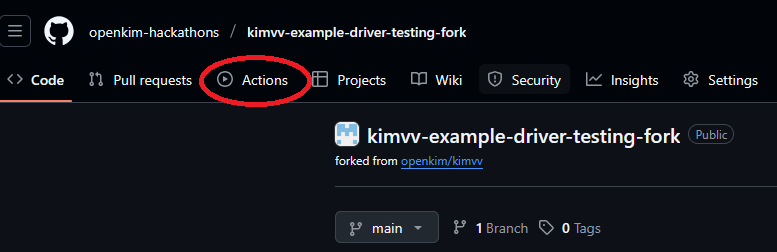
|
Setting up the packaging files
Next, you need to make sure your Test Driver is ready for packaging. Here are the files you may need to provide. They should be in the same directory
as your kimspec.edn file, considered the root directory of your Test Driver (one level above the test_driver directory).
Examples of all of them exist in the example Test Driver: https://github.com/openkim-hackathons/CrystalGenomeASEExample__TD_000000654321_000
README.rst: Your Test Driver should include documentation. In the future, these will be automatically compiled into documentation for the kimvv package. We recommend using .rst format to make this task easier. Think about what you would like users to know about the usage of your Test Driver.
requirements.txt: This is the requirements file for Python dependencies. It should includekim-toolsat the minimum, as well as any other packages your Python code imports directly. Note that this does NOT include Python Standard Library imports (if you can find it on https://docs.python.org/3/library/index.html, it does not need to be inrequirements.txt). It will be included in thekimvvproject as dynamic metadata, which supports a subset of the PyPI Requirements File Format (-c/-r/-eand other flags are not supported).
MANIFEST.in: if your Test Driver requires non-Python files to operate (e.g. data files, pre-made images, etc.), you must declare them in this file for them to be included in the distribution. See the example Test Driver for a simple sample. Full documentation regardingMANIFEST.inis here. The paths should be specified relative to theMANIFEST.infile, thekimvvscriptpre_setup.pywill automatically edit the paths for incorporation into the Python package.
Issuing a release and adding it to your fork of kimvv
Next, you need to issue a release of your Test Driver. Because the release that is fully tested and ready for OpenKIM submission
will be named and tagged "v000", it is recommended that you tag your release something like "v000b0". Make sure your .gitattributes
file is correctly configured to ignore any files and directories that should be excluded from releases
(e.g. run.py, output/, local-props/). See the
example .gitattributes.
Issue a release by clicking the "Create a new release" link in your Test Driver repository: |
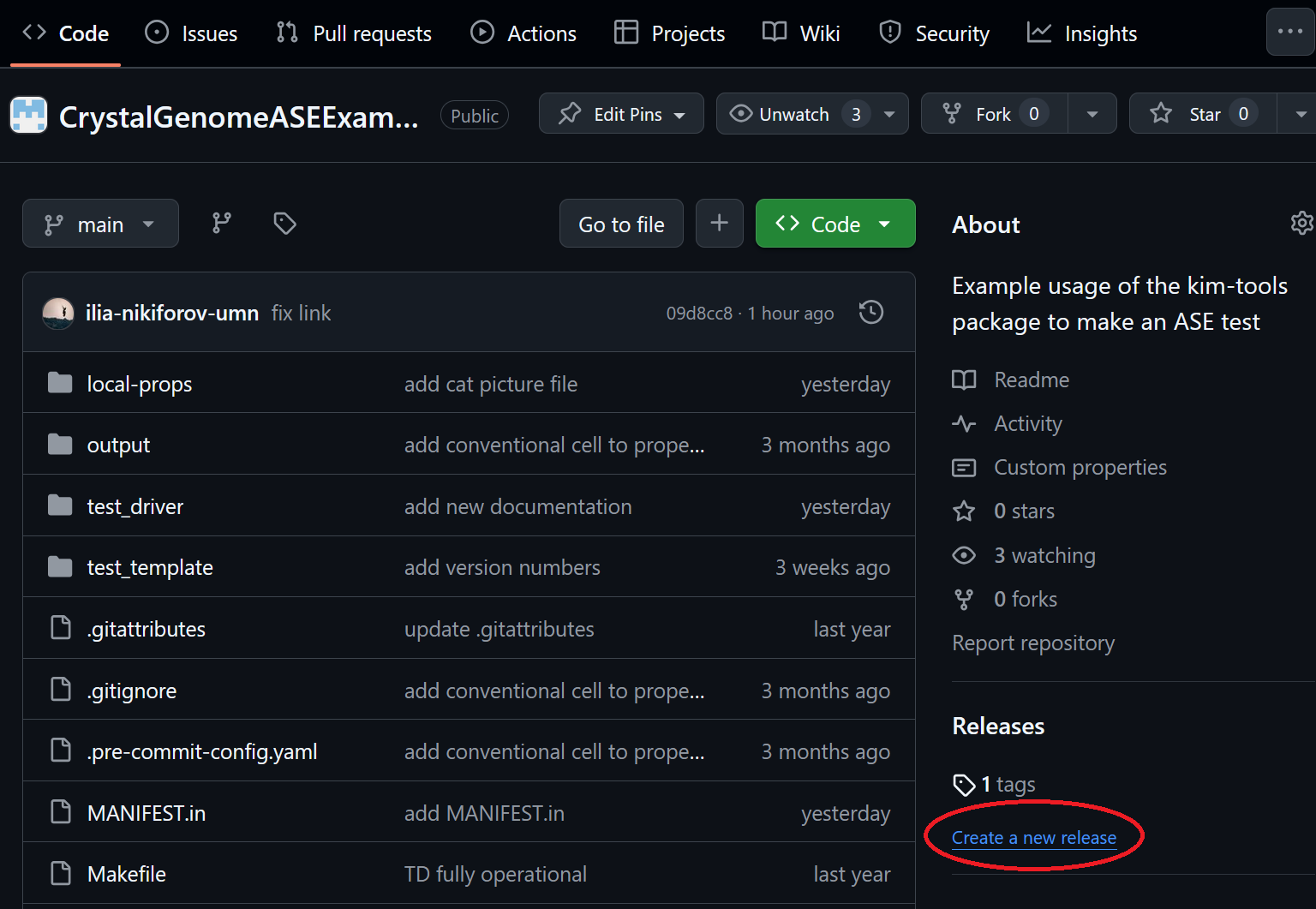
|
Once the release is issued, you will need the URL of the |
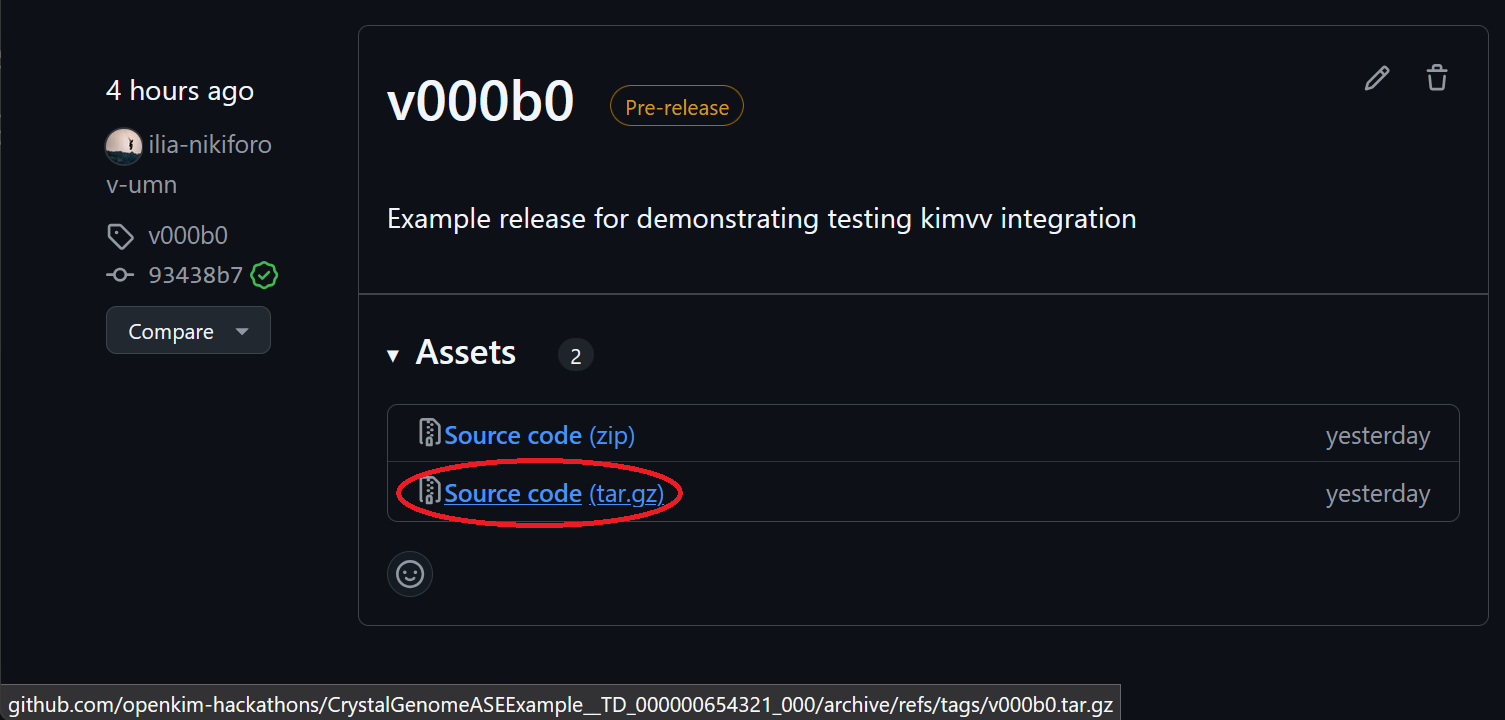
|
Next, you need to add the URL of the .tar.gz to the pre_setup.py script in your fork of kimvv. An example fork for testing the example Test Driver is available,
and here is where you add the URL: pre_setup.py. This will only work if your
development repo is public. Alternatively, you may add the archive directly to your fork, and add the filename to pre_setup.py, like in this example: https://github.com/openkim-hackathons/kimvv-example-LAMMPS-driver-testing-fork/blob/main/pre_setup.py (the archive is simply in the top level of the repo). Note that DEVEL_TEST_DRIVERS is a dictionary
with the path or URL as a key. The values are the dictionary of additional non-default arguments you wish to pass to your Test Driver for testing. For example, for a molecular dynamics
TD, you will likely want to specify a small system size so it can run in reasonable time on a free GitHub runner.
Note
If you are performing the final test before hitting "submit" on the openkim.org web form, you should use your InProgress .txz archive from the webapp
instead of from GitHub.
Finally, if your properties have not yet been added to openkim.org, you need to add your Property Definitions to the test/local-props directory of your kimvv fork.
Checking that your fork passes the tests
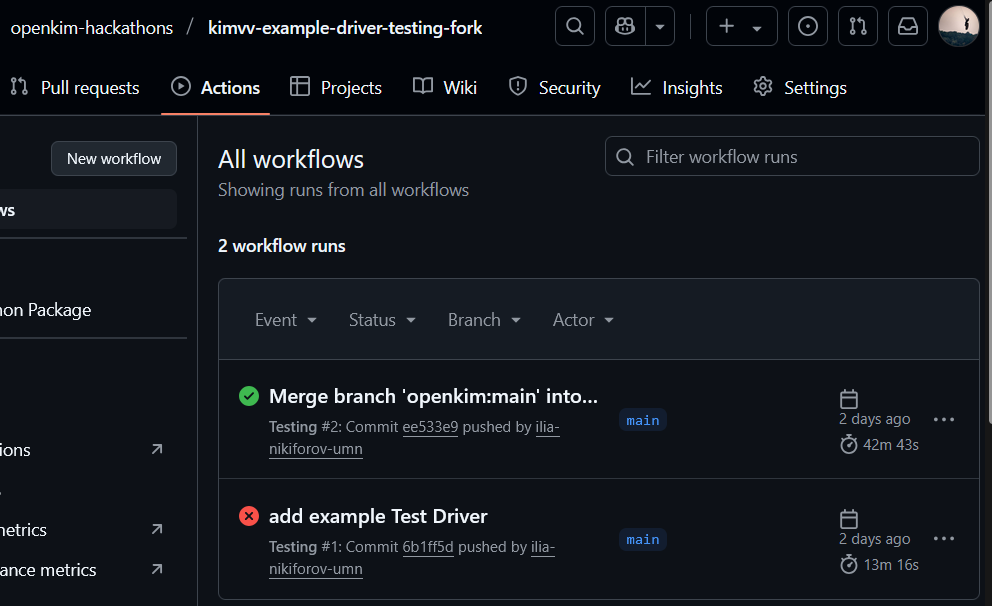
After making the above changes, commit and push the changes to your fork of kimvv. The Github Actions workflow will automatically check that the kimvv package
containing your driver correctly installs and runs the previously described simulations.
When you click on "Actions" in your |
|
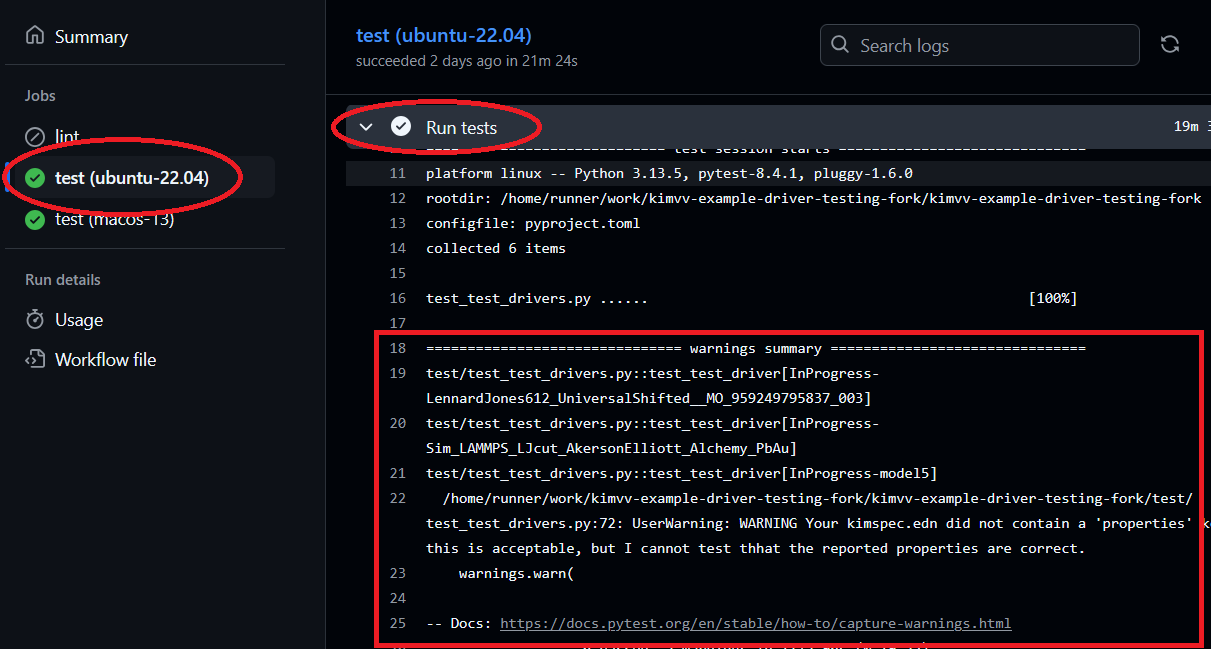
If your Test Driver uses LAMMPS, a successful run is all that is required. If it does not, you should take one additional step to see that your Test Driver
runs with non-KIM ASE calculators. Click on the successful run, and click on one of the jobs (e.g. |
|